ISO 9001 is the internationally recognized standard for Quality Management Systems (QMS), helping organizations ensure they consistently meet customer and other stakeholder requirements, and improve their performance and quality.
Managing ISO with Jira Cloud can play a crucial role in simplifying the process established with Jira features and solutions, helping businesses and organizations be more efficient, improve customer satisfaction, and demonstrate their commitment to quality.
How can you establish ISO 9001 with Jira?
Jira provides a robust framework to structure, track, and automate key quality management workflows.
-
The first step of establishing ISO 9001 with Jira is to create a dedicated project that will act as a central hub for documenting quality objectives, tracking risk assessments, managing non-conformances, and conducting audits.
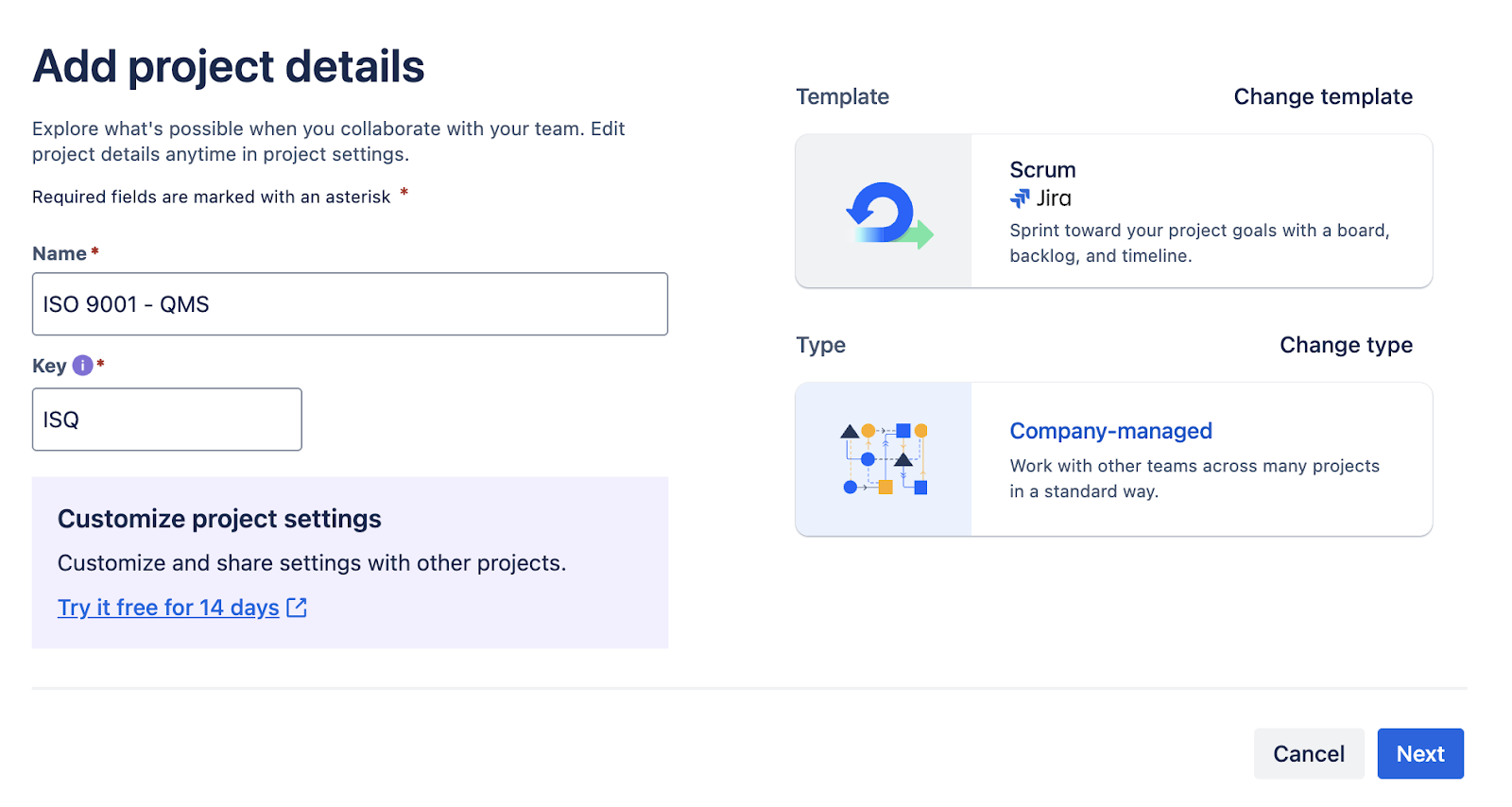
-
ISO 9001 complies with various terms and processes like quality planning, corrective actions, and audits, which can be created inside Jira under Custom Issue Types.
-
ISO 9001 requires traceability across all quality management activities. Jira’s issue linking feature helps teams track dependencies and maintain visibility into compliance-related workflows.
-
To capture critical compliance data, organizations should define custom fields for audits and reporting. Fields such as Risk Level (Low, Medium, High) help prioritize compliance tasks, while Root Cause Analysis documents investigation findings for non-conformances.
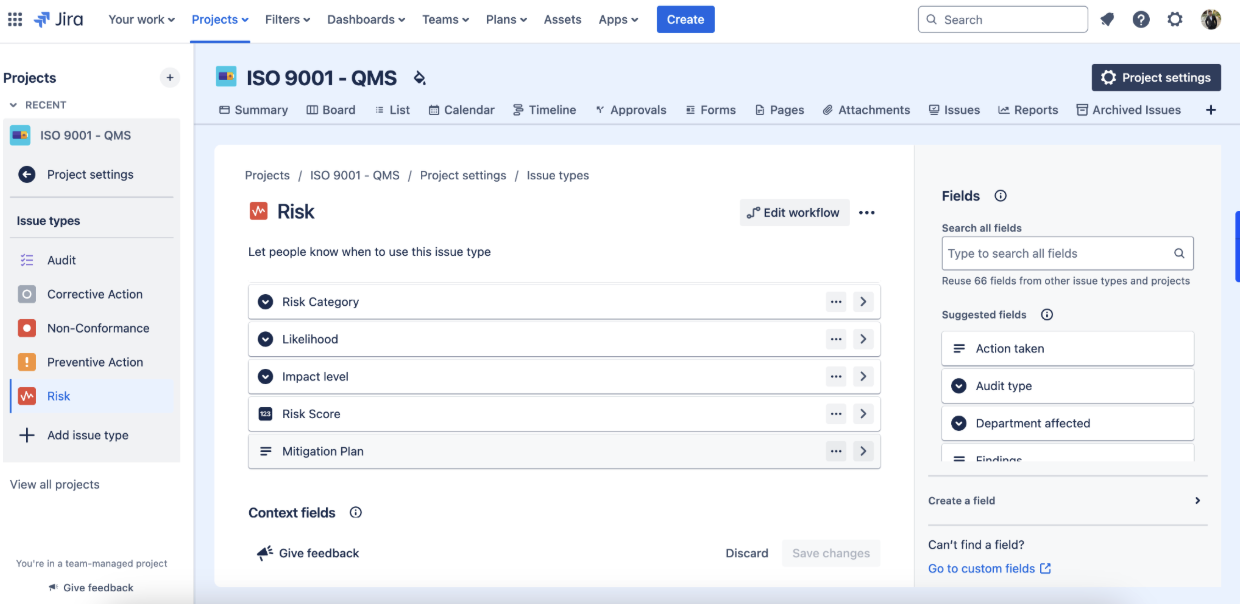
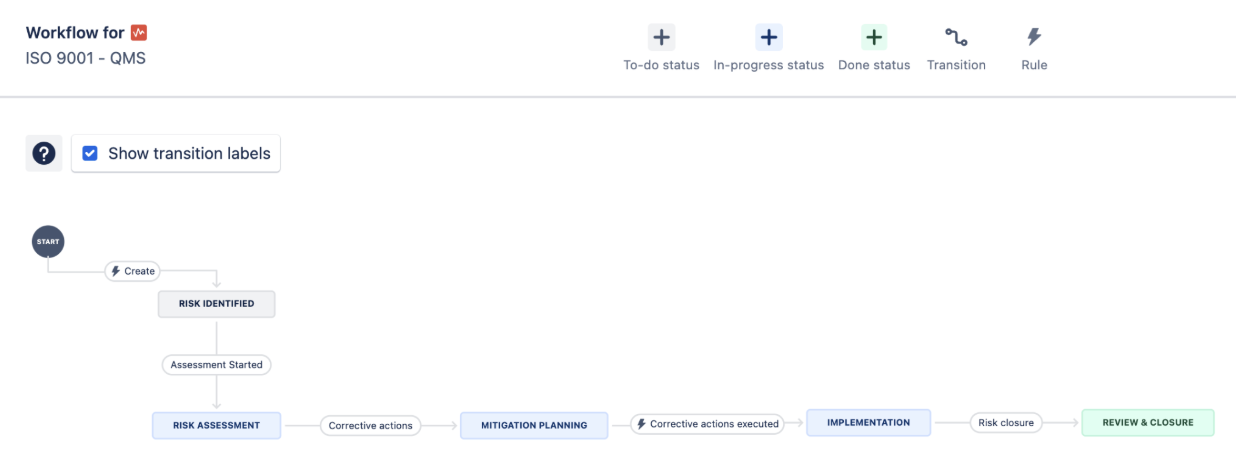
Custom workflow for custom Issue type
How Links Explorer helps in traceability and Analysis for ISO 9001
ISO 9001 compliance ensures that organizations maintain the highest quality standards through effective risk management, process improvement, and audit tracking. However, tracking and managing compliance manually can be challenging.
Jira, when integrated with Links Explorer, offers a systematic approach to monitoring risks, non-conformance (NC), corrective actions (CAPA), preventive actions, and audits—ensuring complete traceability and adherence to compliance standards. In this article, we’ll explore how to implement ISO 9001 in Jira and leverage Links Explorer to visualize and track issue relationships.
Key Components to Track in Jira
To successfully implement ISO 9001 in Jira, organizations need to manage the following components:
-
Risk Management: Identifying potential risks and mitigating them before they impact quality.
-
Non-Conformance (NC) Handling: Logging quality issues and process deviations.
-
Corrective Actions (CAPA): Taking corrective steps to resolve non-conformance issues.
-
Preventive Actions: Implementing proactive measures to prevent future risks.
-
Audits & Compliance Tracking: Conducting internal and external audits to ensure adherence to ISO 9001.
By structuring Jira projects around these elements, organizations can achieve end-to-end traceability and compliance management.
Bringing complete traceability to ISO 9001 Workflows
ISO 9001 compliance demands that every risk, non-conformance, and corrective action be properly documented and linked. With Links Explorer, organizations can:
- Visually trace risks, corrective actions, and audits in a single view.
- Identify missing issue links and improve compliance workflows.
- Generate real-time traceability reports for audits.
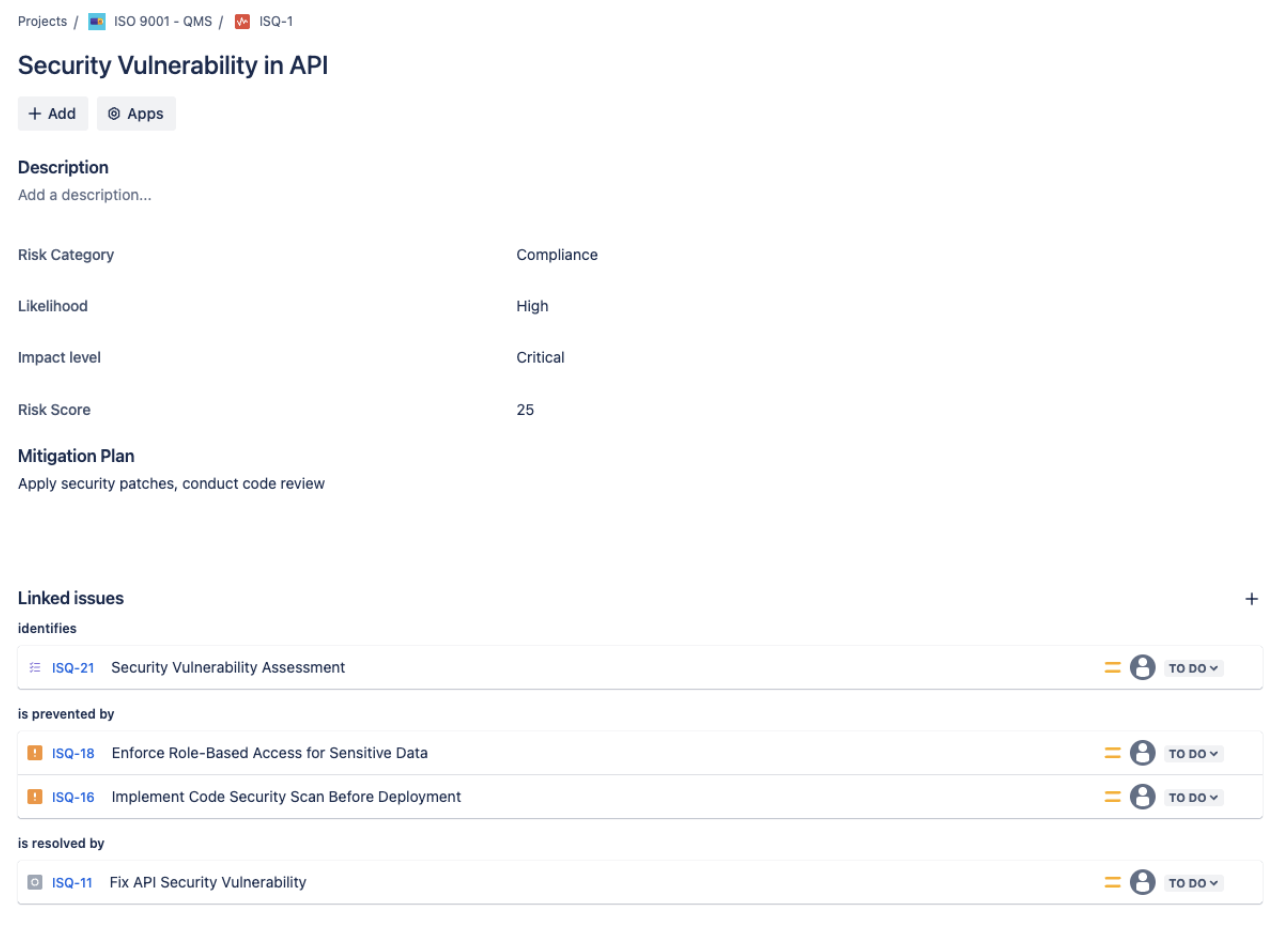
Links Explorer eliminates the need to manually search for related issues, giving you a hierarchical tree view of linked items for quick analysis.
How Links Explorer Helps in Managing ISO 9001 Compliance
Viewing Linked Issues in an Interactive Tree Structure
Once ISO 9001 issues are linked in Jira, navigating them can be difficult using native Jira tools. Links Explorer provides an interactive hierarchy, allowing you to see how risks, non-conformance, corrective actions, and audits are connected.
Example scenario:
- A security vulnerability (Risk) could lead to an NC (Non-Conformance).
- A corrective action (CAPA) is then assigned to resolve the issue.
- An audit entry ensures that the corrective action is properly implemented.
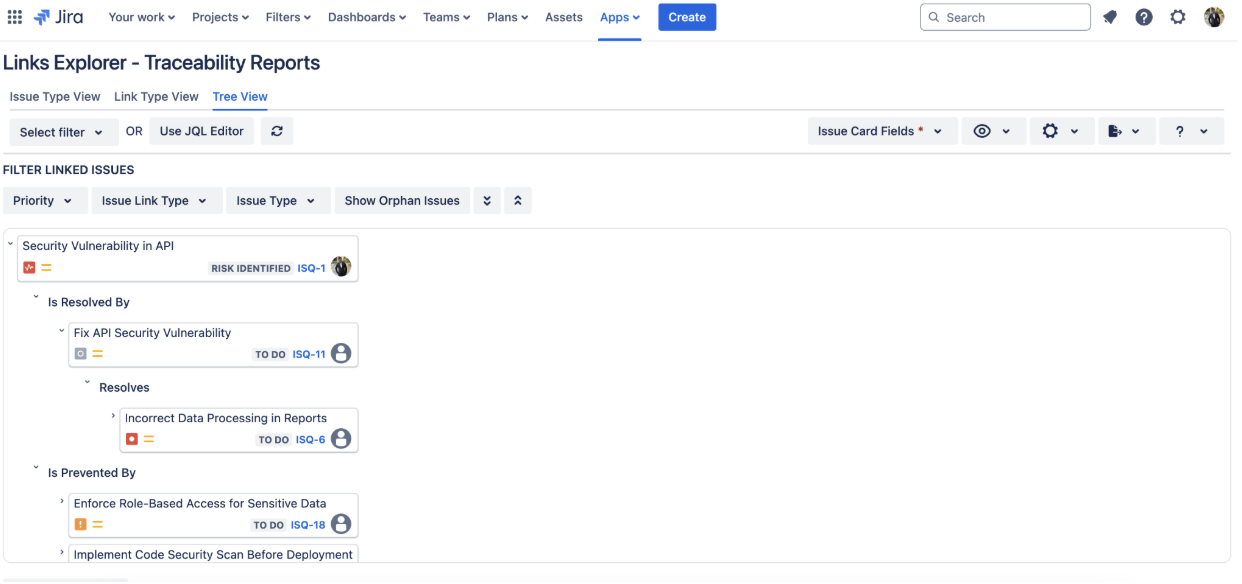
Using Links Explorer, this entire chain can be visualized, making it easy for quality assurance teams to monitor compliance progress in real time.
Identifying Gaps in Compliance Tracking
One of the biggest challenges in ISO 9001 management is ensuring that every risk has a corresponding corrective action and audit record. Links Explorer highlights missing links, ensuring that:
- All risks are assigned a mitigation action (CAPA or Preventive Action).
- Non-conformance issues are resolved with corrective actions.
- Audits track compliance across all corrective and preventive measures.
If a risk or non-conformance issue is not linked to a resolution, Links Explorer will visually indicate the gap, helping teams take corrective steps before audits.
Simplifying Audits with Traceability Reports
ISO 9001 audits require demonstrating compliance actions. Instead of manually tracking issue histories, Links Explorer generates instant traceability reports showing:
- How each risk was identified and resolved.
- Which corrective and preventive actions were taken.
- Whether an audit was conducted to validate resolution.
With one click, teams can export issue relationships, providing evidence of compliance for external and internal audits.
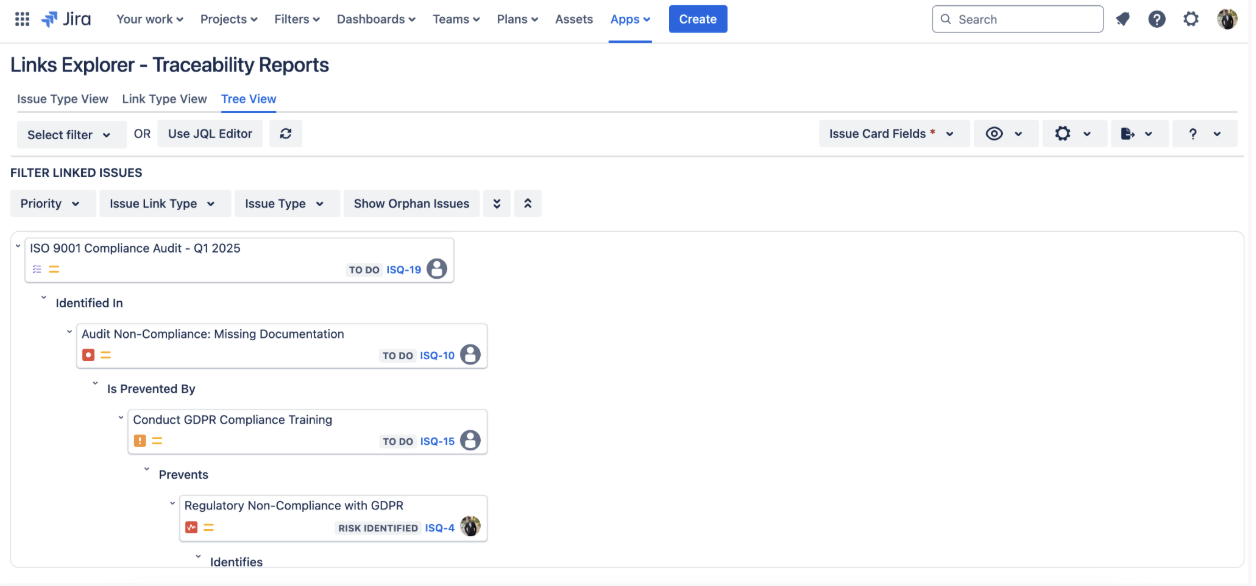
Understanding the Usage of Traceability Reports
Traceability reports in Links Explorer help organizations:
- Prove ISO 9001 compliance by showing a full history of issue resolutions.
- Identify gaps where a corrective or preventive action is missing.
- Ensure complete audit readiness with documented evidence of quality management.
- Track progress over time, ensuring all compliance issues are resolved efficiently.
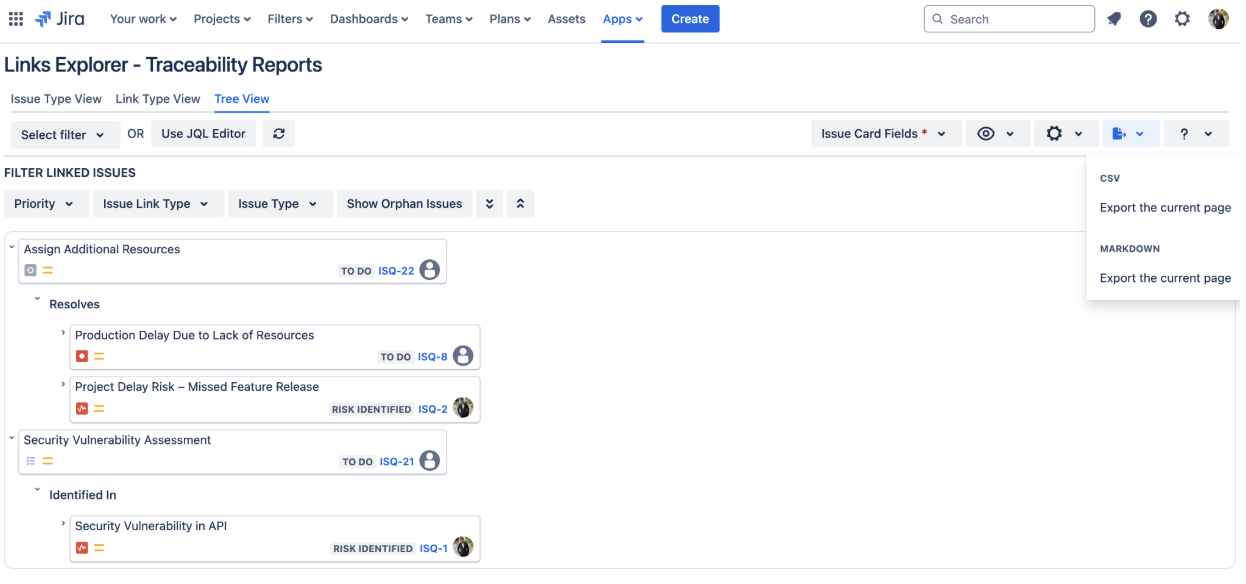
These reports can be exported and shared with auditors, simplifying compliance verification.
Using Links Explorer to Navigate ISO 9001 Compliance in Jira
Step 1: Install Links Explorer
- Navigate to Jira Nav bar → Apps → Find new apps.
- Search for "Links Explorer - Traceability & Hierarchy".
- Click Install and start using for traceability, No configuration required.
Step 2: Exploring Links for ISO 9001 Issues
Once installed:
- Open Links Explorer from the Jira apps panel.
- Select the ISO 9001 Project.
- In Traceability Reports, open Tree view of Links Explorer.
- Click on an issue (e.g., Security Vulnerability in API).
- Click "Explore Links" to view all related issues in a hierarchical tree format.
Step 3: Understanding the Hierarchical View
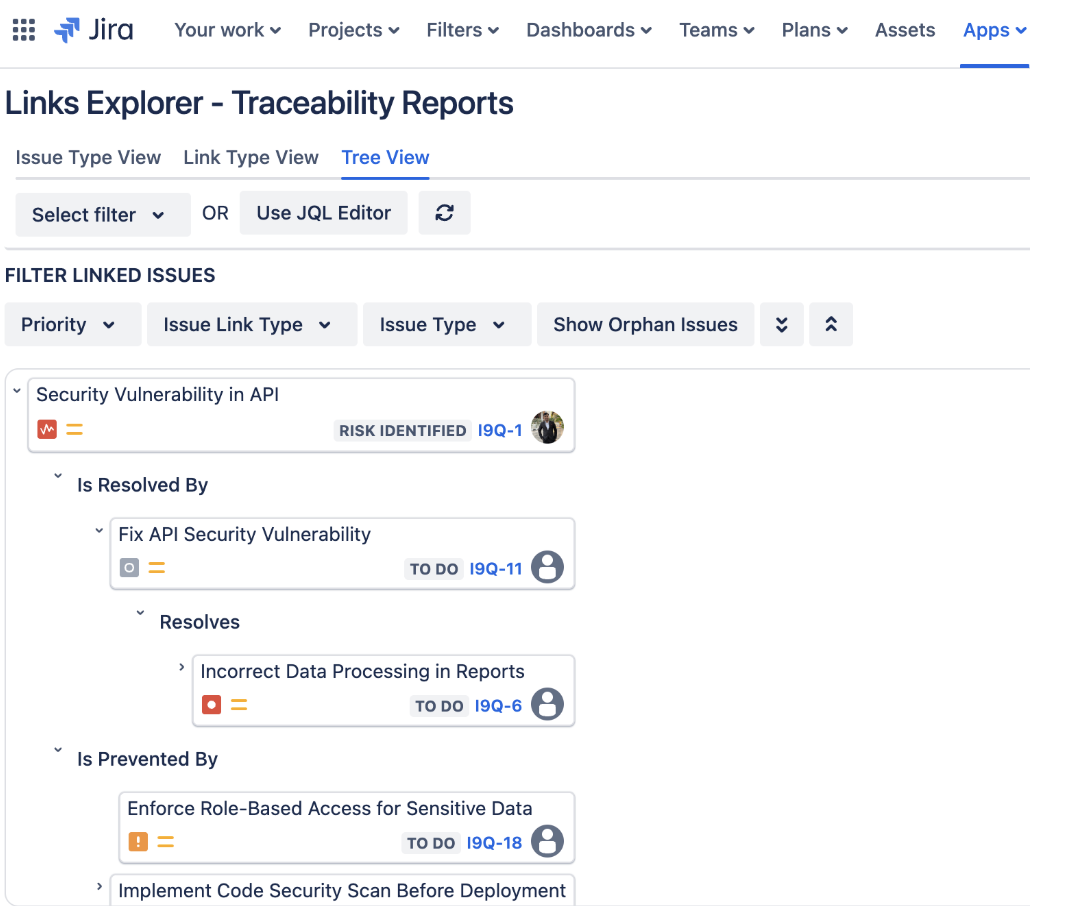
This visualization helps teams quickly trace how risks translate into actions and audits, eliminating the need to manually search through Jira.
Generating Compliance Reports for ISO 9001 Audits
Instead of manually compiling reports, use Links Explorer to:
- Export traceability reports for compliance teams.
- Identify unresolved risks & non-conformances before audits.
- Identify trends in issue resolution and risk management.
Try Links Explorer now for enhanced traceability.