A software contract auto-renews on Monday. The window to cancel closed three weeks ago. The person who signed it left the company in the spring, and the end date lives in a spreadsheet that nobody has opened since.
Nobody was told. Nobody forgot on purpose. There was simply no reminder.
Why reminders fail
Renewal dates are easy to record and easy to miss. They usually go wrong in one of three ways:
- The date lives somewhere nobody checks, like a spreadsheet or one person's calendar.
- The reminder arrives on the end date, when the cancellation window has already closed.
- No one owns the contract, so the reminder goes to no one in particular.
The quick answer: keep the end date on the contract's Jira work item, and let Jira Automation email the contract owner before it arrives.
How PACT tracks contract end dates
PACT, Optimizory's contract management app for Jira, stores each contract as a Jira work item with a Contract Start and a Contract End date. You choose which Jira fields hold those dates, so there is nothing new to learn. Because the end date is an ordinary Jira field, Jira Automation can act on it.
Step 1: Tell PACT where the end date lives
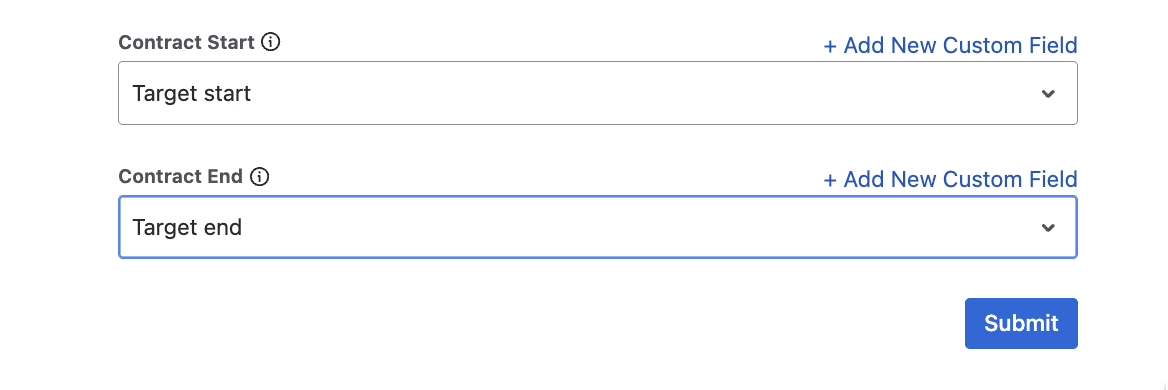
Open Pact Home and click Configuration. Under Contract End, pick the Jira field that holds your contract end date. Use an existing field such as Due date, or add a new custom field from the same screen. In the examples below, our end date field is called Target end.
Step 2: Send a reminder before a contract expires
In your contract project, go to Space settings, then Automation, then Create rule.
- Choose a Scheduled trigger, set it to run daily, and pick the time the email should go out.
- Tick Run a JQL search and execute actions for each work item in the query.
- Enter a JQL query that finds contracts ending within 7 days:
issuetype = Contract AND "Target end" >= now() AND "Target end" <= startOfDay("+7d") AND status != Done
Replace Contract with the work item type you chose as the Contract Issue Type in Pact Configuration, and Target end with your end date field. The type has to match exactly, or no email will be sent. If your finished status is not called Done, adjust the last condition to match your workflow.
- Leave Only include work items that have changed since the last time this flow executed unticked. If it is ticked, a contract that nobody has edited will not be picked up.
- Add the Send customized email action. In To, choose the assignee, the reporter, or enter a shared address such as contracts@company.com. Write a subject and body that include the key, summary, end date and a link to the work item.
- Name the rule "Contract Expiry Reminder - 7 Days", publish it, and check that it shows as Enabled.
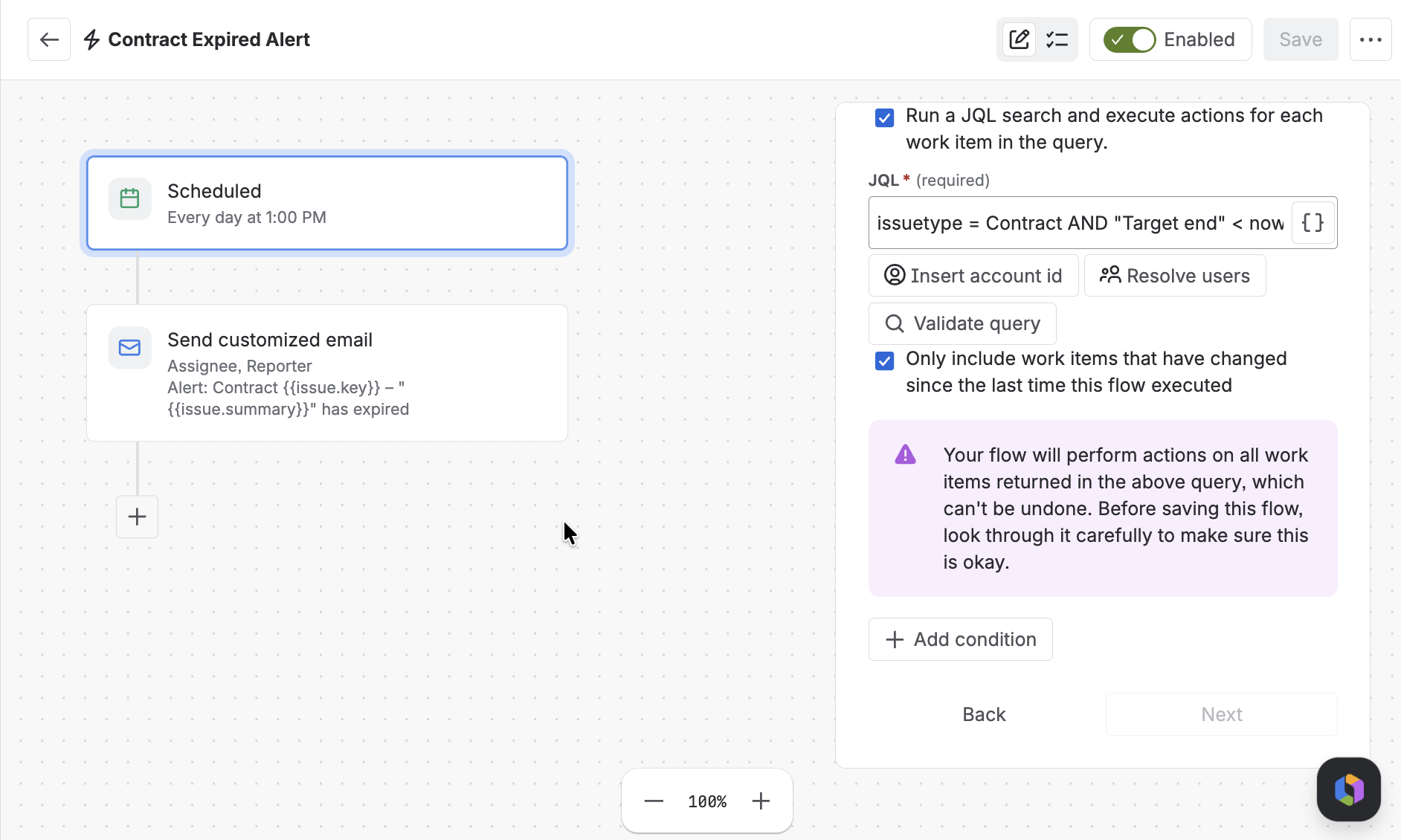
From then on, Jira notifies the people you chose every day a contract falls inside the window, with the key, summary, end date and link you put in the message.
Step 3: Alert when a contract has already expired
Create a second rule with the same structure, a different query and the name "Contract Expired Alert":
issuetype = Contract AND "Target end" < now() AND status != Done
The email tells the owner the contract has expired and is still open, so they can review, renew or close it. This rule can run more often than once a day if you want faster alerts.
Make the reminder early enough
Seven days is rarely enough. If a contract needs 60 days' notice to cancel, a reminder one week before the end date is useless. Duplicate the rule and change "+7d" to the window you need, such as "+60d" or "+90d". You can run several, for example at 90, 30 and 7 days, so the owner gets more than one chance.
Spot expiring contracts at a glance
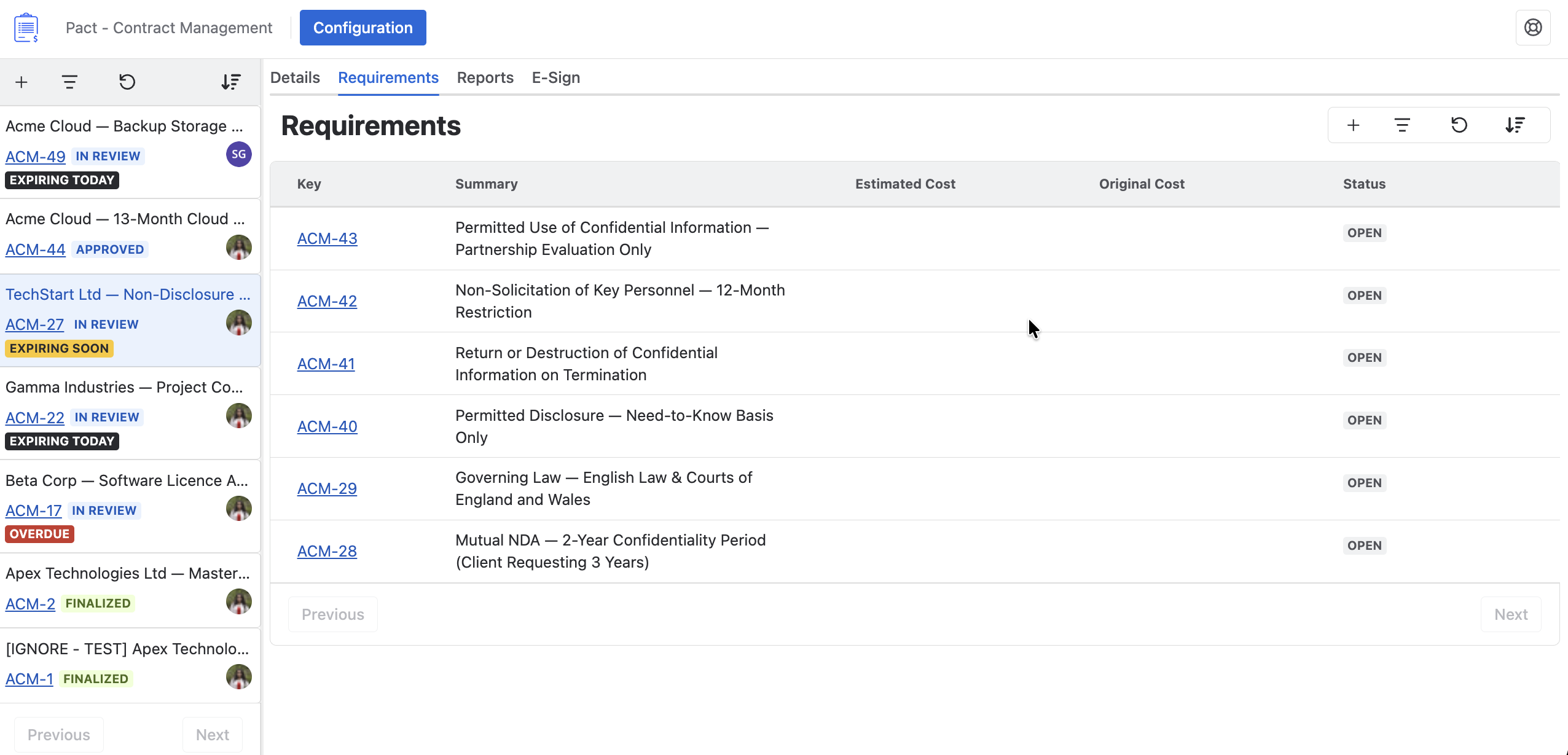
You do not need to wait for an email. The Contract List in Pact Home tags each contract that needs attention: Expiring Soon, Expiring Today or Overdue.
What this setup does not do
Jira Automation sends the emails, not PACT, and it only checks on the schedule you set, such as once a day. The rules do not renew or close a contract. They tell the right person in time to act. Automation rules also count toward the execution limits of your Jira plan, so check those before adding many rules.
Common questions
Who gets the email?
Whoever you choose in the To field: the assignee, the reporter, or a fixed address like contracts@company.com.
What if my contract has a notice period?
Widen the window in the JQL so the reminder arrives before the notice deadline, for example 90 days instead of 7.
Why did no email arrive?
Check four things: the work item type in the JQL matches the Contract Issue Type in Pact Configuration, the contract has an end date in the field you mapped, the contract is not already in a Done status, and the "changed since the last time" option is unticked.
What you get
- One end date per contract, stored where your team already works
- A reminder to the owner before it expires, and an alert if it has
- A list that shows which contracts need attention today
Try PACT free on the Atlassian Marketplace, or book a demo with the Optimizory team.