Contracts are central to business operations, but the process of signing them is often fragmented. Teams negotiate and track contracts inside Jira, yet when it comes time to collect signatures, they are forced to move outside the platform - sending documents via email or external signature tools.
This breaks the workflow, slows approvals, and creates gaps in audit visibility.
To solve this, we’re introducing E-Sign in PACT - a native signing experience that allows teams to initiate, manage, and finalize contract signatures directly inside Jira.
With E-Sign, contract execution becomes a seamless part of your existing Jira workflow.
Why Contract Signing Still Slows Teams Down
Even in organizations that use Jira to manage procurement, vendor onboarding, or service agreements, contract signing often happens outside the system.
Common challenges include:
- Fragmented workflows - Contracts are exported from Jira, sent through email threads, or uploaded into separate e-signature tools.
- No clear signing visibility - Teams cannot easily see who has signed and who hasn’t.
- Manual reminders - Legal or procurement teams must remind signers manually.
- Version confusion - If a contract changes, tracking which version was signed becomes difficult.
These gaps slow down execution and increase operational risk.
What Is E-Sign in PACT
E-Sign in PACT brings contract signing directly into the Jira environment.
Instead of exporting documents or switching tools, teams can:
- Invite signers
- Track signing progress
- Manage signing cycles
- Capture audit trails
- Generate signed certificates
all from the
PACT interface inside Jira.
This keeps the entire contract lifecycle - from negotiation to signature - within a single system.
How E-Sign Works Inside Jira
The signing workflow is simple and designed to match how contracts evolve during negotiations.
1. Start a Signing Cycle
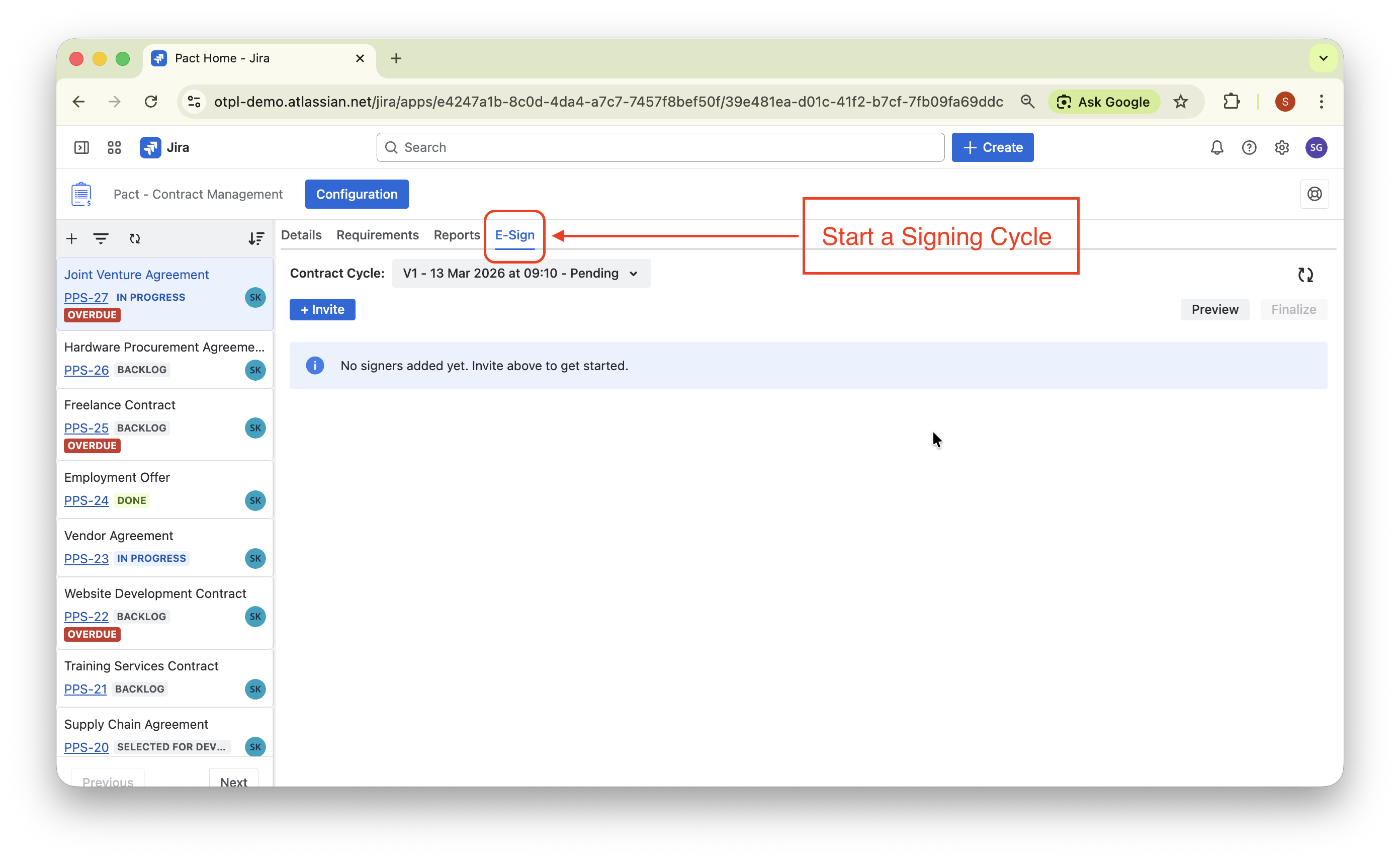
Once a contract is ready for signature, the contract owner can start a signing cycle inside the E-Sign tab.
PACT captures a snapshot of the contract version at that moment.
This ensures the exact contract version being signed is preserved.
2. Invite Signers
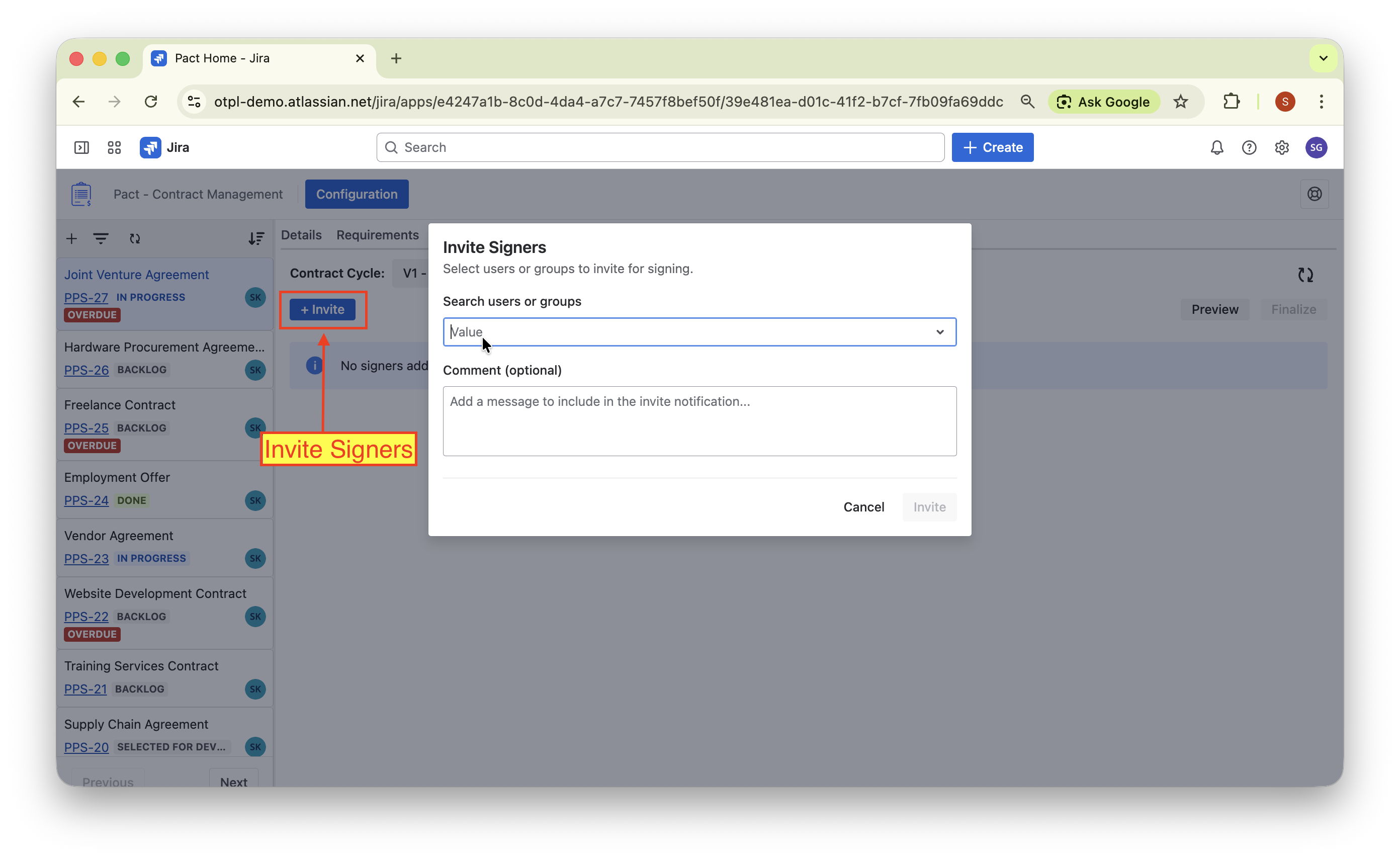
The contract owner can invite users to sign.
Signers receive clear visibility in the signing table showing:
- who is invited
- who has signed
- who declined
All actions are tracked in Jira comments and audit history.
3. Preview the Contract
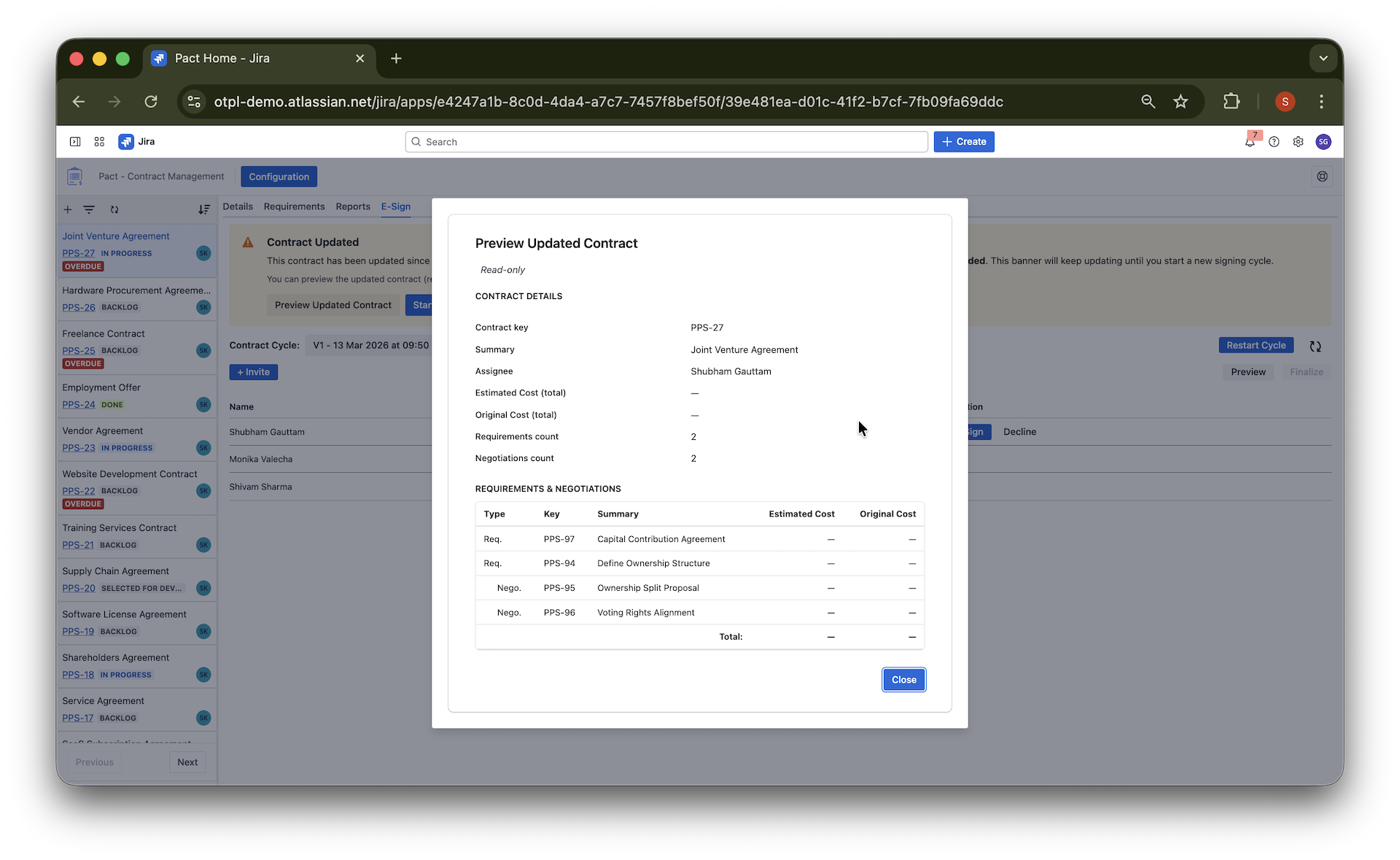
Before signing, users can preview the contract snapshot directly inside PACT.
The preview shows the exact contract version that was captured when the signing cycle started, including:
- contract details
- linked requirements
- negotiations
- cost summaries
This allows signers and administrators to review the contract in read-only mode before taking action.
4. Sign or Decline the Contract
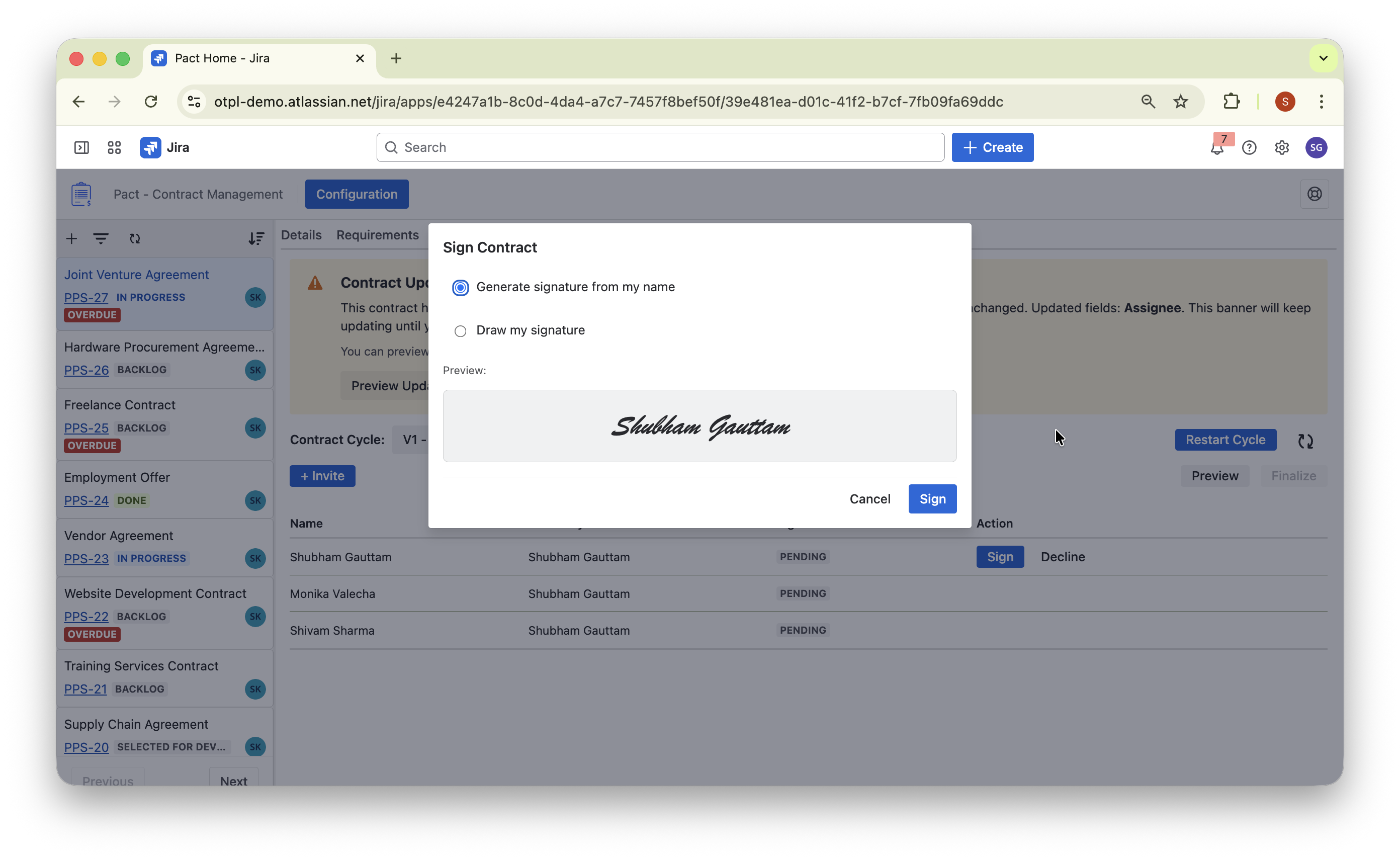
Invited users can review the contract and take action directly within Jira.
Signers can:
- Sign the contract
- Decline with a reason
Once a signer signs the contract, their signature and timestamp are recorded automatically.
The signing table updates in real time, making it easy for teams to track progress.
5. Track Signing Progress
The signing cycle moves through three states:
- Pending: Signers have been invited but no signatures yet.
- In Progress: Some signers have signed, but others haven't.
- Finalized: All required signatures are completed and the contract is finalized.
Teams can monitor signing progress directly in the contract view.
6. Handle Contract Updates
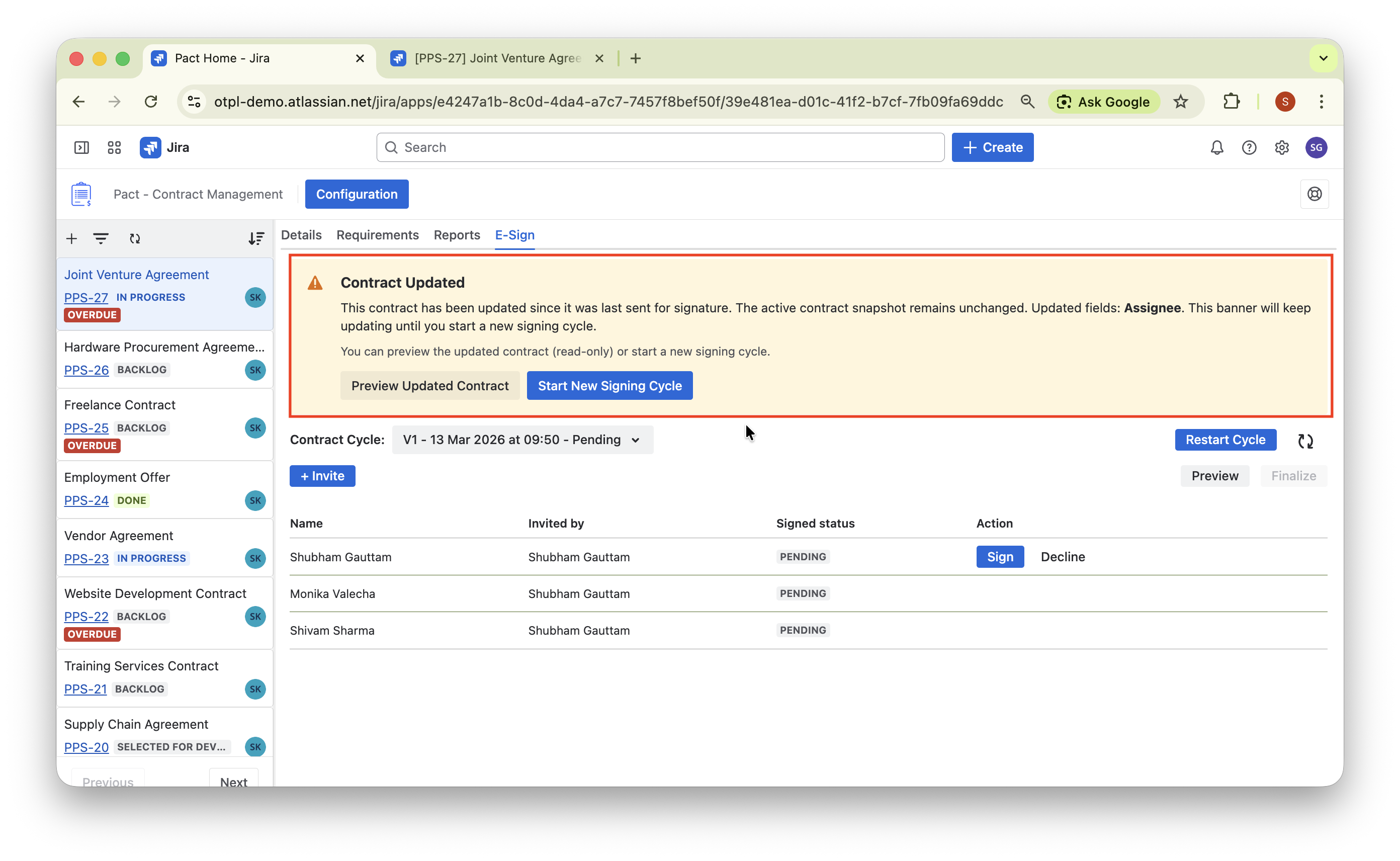
Contracts often change during negotiations.
PACT automatically detects when the contract content changes after a signing cycle begins.
A Contract Updated banner alerts the contract owner and allows them to:
- preview the updated contract
- start a new signing cycle based on the latest version
This ensures signers always sign the correct contract version.
7. Finalize and Generate Certificate
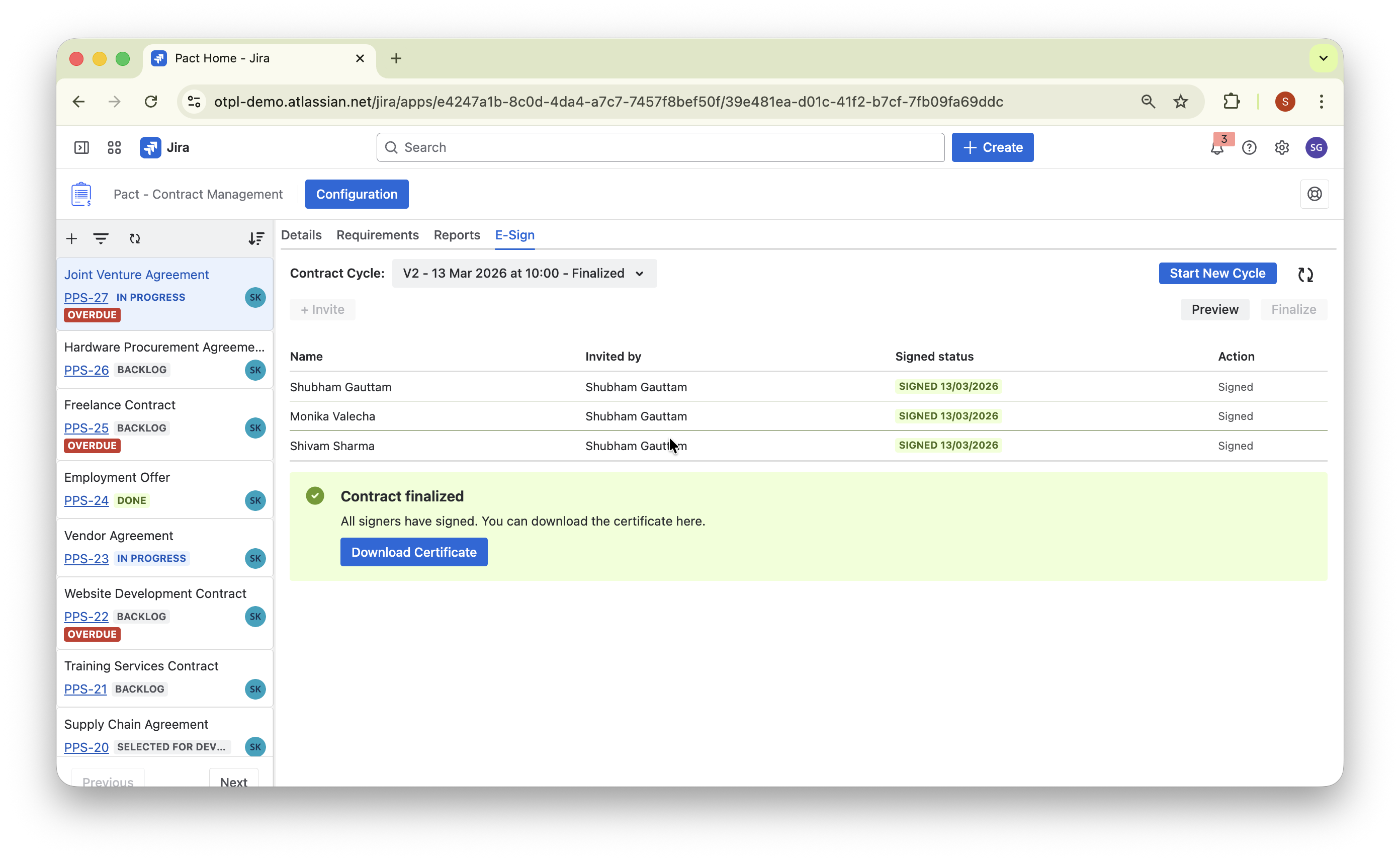
Once all signatures are collected, the contract owner can finalize the cycle.
PACT generates a certificate of completion containing:
- signer identities
- signature timestamps
- the finalized contract snapshot
- audit details
The certificate can be downloaded and stored for compliance purposes.
Key Features of PACT E-Sign
Native Jira Experience
No external tools required. Signing happens directly inside Jira.
Contract Version Snapshots
Each signing cycle preserves the exact contract version that was sent for signature.
Multiple Signing Cycles
Contracts evolve. PACT supports multiple signing cycles so teams can sign updated versions without losing history.
Full Signing History
Every cycle, signature, and decline is recorded and visible in the contract timeline.
Built-in Audit Trail
PACT automatically tracks:
- who invited signers
- who signed or declined
- when signatures occurred
- when cycles were finalized
This provides a clear and traceable signing record.
Certificate Generation
After finalization, a signed certificate documentis generated that can be shared or archived.
Real-World Example
Consider a procurement contract managed inside Jira.
- Procurement prepares the contract in PACT.
- Requirements and negotiations are finalized.
- The contract owner starts a signing cycle.
- Vendors and internal stakeholders are invited to sign.
- Some signers complete their signatures.
- The contract changes slightly during negotiation.
- A new signing cycle is started with the updated contract.
- All parties sign the updated version.
- The contract is finalized and a certificate is generated.
The entire process happens
inside Jira without leaving the PACT workflow.
Benefits of Signing Contracts in Jira
Organizations using PACT E-Sign gain several advantages:
Centralized contract lifecycle
Negotiation, approval, and signing occur in one place.
Faster execution
No need to export contracts to external systems.
Clear signing visibility
Teams always know the signing status.
Version control
Every signing cycle preserves a contract snapshot.
Audit readiness
All signing activity is automatically recorded.
Getting Started with E-Sign in PACT
E-Sign is now available in PACT.
To start signing contracts inside Jira:
- Install PACT from the Atlassian Marketplace.
- Configure your contract workflows.
- Open a contract work item.
- Navigate to the E-Sign tab.
- Start your first signing cycle.
Within minutes, your team can manage contract signatures directly from Jira.
Conclusion
Collecting signatures should not require leaving the systems where contracts are managed.
With E-Sign in PACT, teams can move seamlessly from contract negotiation to contract execution - all inside Jira.
By combining contract versioning, signing cycles, audit trails, and certificate generation, PACT helps organizations execute agreements faster while maintaining full visibility and control.