Most project problems are not surprises. Someone on the team saw them coming, mentioned it in a meeting, and moved on. Then the release slips or the audit finds a gap, and everyone asks: why didn't we act earlier?
A simple risk management process closes that gap. It is not paperwork, and it is not only for banks. It is a simple habit: write down what could go wrong, decide how much it matters, and agree who will act on it.
What is a risk?
A risk is something that might happen and would hurt your project if it did. "Our only backend developer may leave before launch" is a risk. "Our backend developer resigned yesterday" is already an issue.
Every risk gets two simple ratings:
- Probability: how likely is it to happen?
- Severity: if it happens, how bad is it?
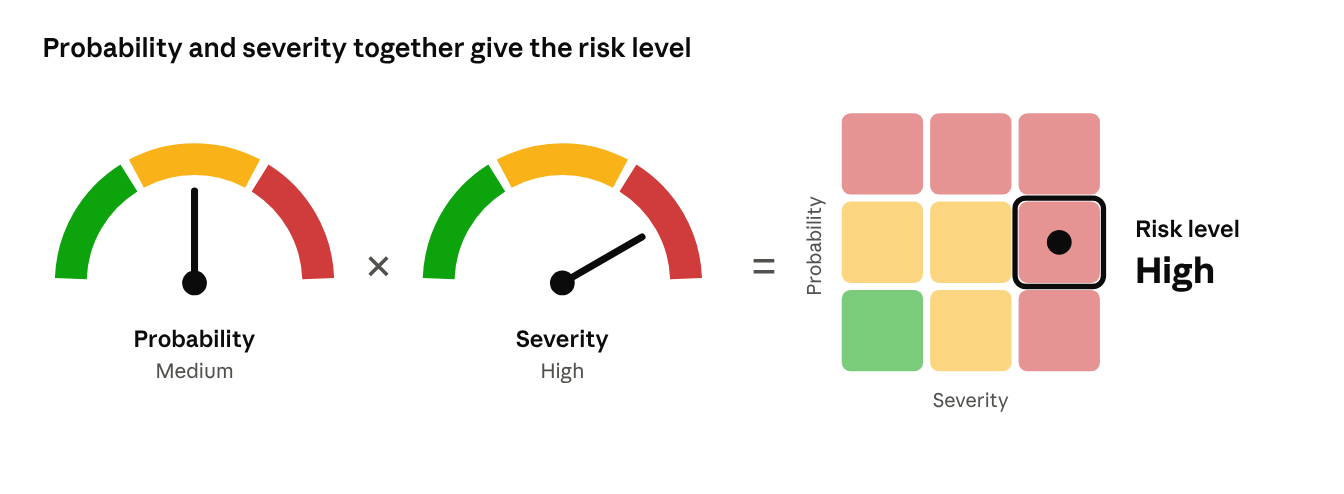
Combine the two and you get the risk level, such as Low, Medium or High. The risk level lets you compare very different risks on one scale and decide which to handle first.
Why risk management goes wrong
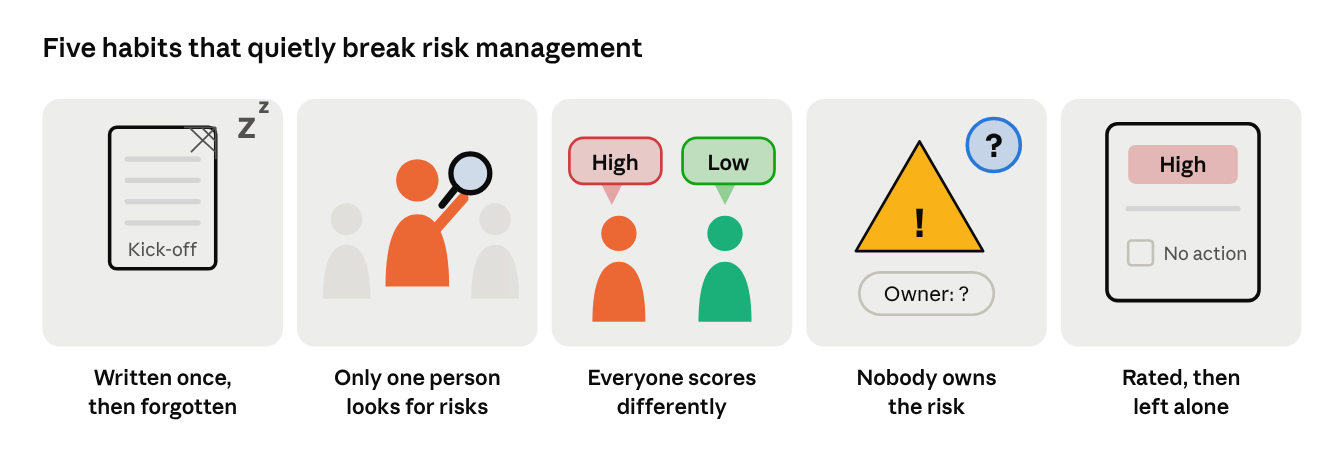
Most teams agree risk management matters. Few feel they do it well. The same problems come up again and again:
- The list is written once, then forgotten. By month three it describes a project that no longer exists.
- Only one person looks for risks. The project manager writes the list alone, so the risks developers, testers or support can see never make it in.
- Everyone scores differently. One person's "high" is another person's "medium", so ratings can't be compared.
- Nobody owns the risk. A risk owned by "the team" is owned by no one.
- Risks are rated, then left alone. The team agrees a risk is serious, but nobody decides what to do about it.
These problems don't come from lazy people. They come from a process that is hard to keep up.
The risk management process: four steps on repeat
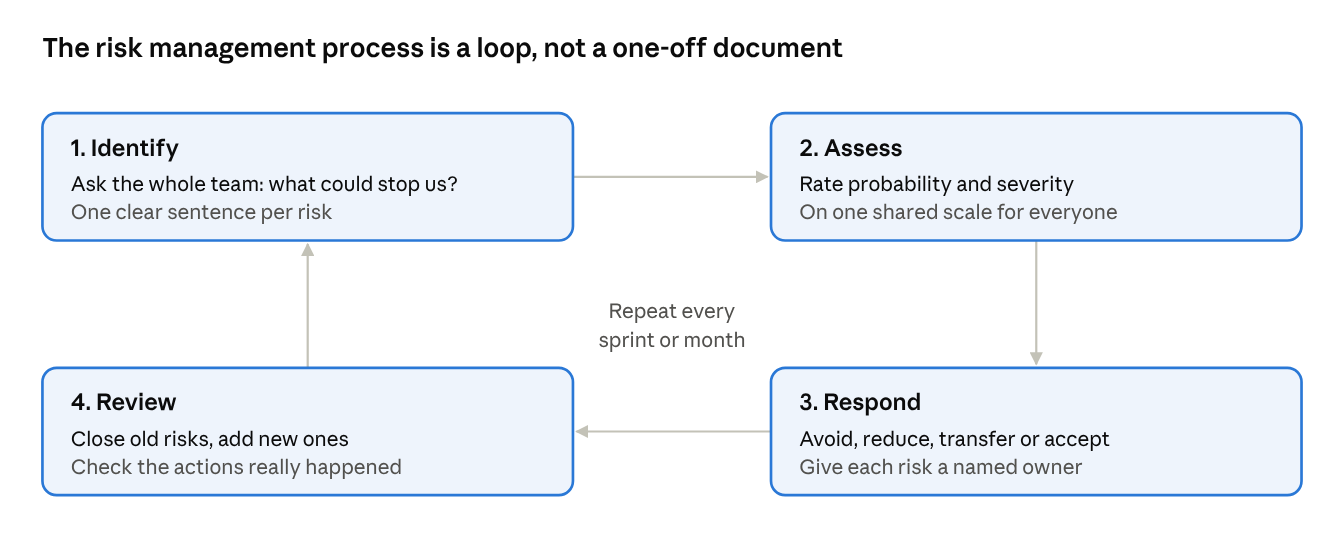
- Identify. Ask the whole team: "what could stop us?" Write each risk as one clear sentence.
- Assess. Rate probability and severity on one shared scale, so every risk gets a level.
- Respond. For each important risk, choose to avoid it (change the plan), reduce it (add tests, train a backup), transfer it (insurance, a contract) or accept it. Give it a named owner.
- Review. Check the list every sprint or month. Close old risks, add new ones, and confirm the actions really happened.
Then start again. Formal frameworks such as ISO 31000, PMI's PMBOK, COSO ERM and NIST RMF describe this same loop in more detail, each for a different audience.
A worked example: the four steps in one release
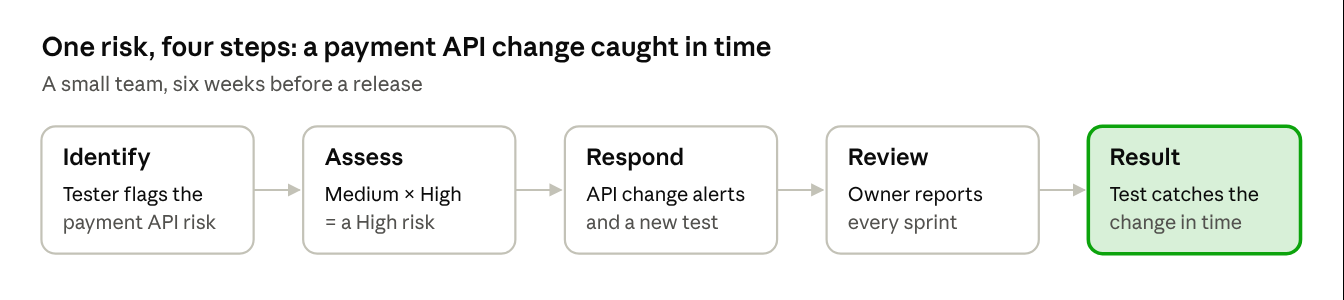
A small team is preparing a product release in six weeks.
- Identify. In a 30-minute session, a tester says: "Our payment provider may change its API before we ship." It goes on the list as one sentence.
- Assess. The team rates it Medium probability, because the provider has announced changes before. Severity is High, because customers couldn't pay. On the shared matrix, that makes the risk High.
- Respond. They choose to reduce it. A developer subscribes to the provider's change notices and adds an automated payment test. The tech lead becomes the owner.
- Review. At each sprint review, the owner reports what changed. Two weeks before launch, the test catches a small API change in time.
Nothing about this was complicated. The difference was that the risk was written down, rated, owned and checked.
The risk matrix: one shared scale
A risk matrix is a simple grid with probability on one side and severity on the other. Each cell has a risk level and a color. The team agrees on it once, so a "High" means the same thing to everyone.
Probability runs up the side, severity along the bottom. The further up and right a risk sits, the sooner it needs attention. The matrix below shows one in action.
Before and after: proof your plan worked
Rate each risk twice. The pre-mitigation rating is the risk as it is today. The post-mitigation rating is the same risk once your response is in place.
Example: "Only one person knows how to deploy." Before: probability High, severity Medium, so the risk is High. After training a second person, probability drops to Low and the risk falls to Medium. The severity didn't change, but the risk is now far less likely. You can see that move in the matrix below.
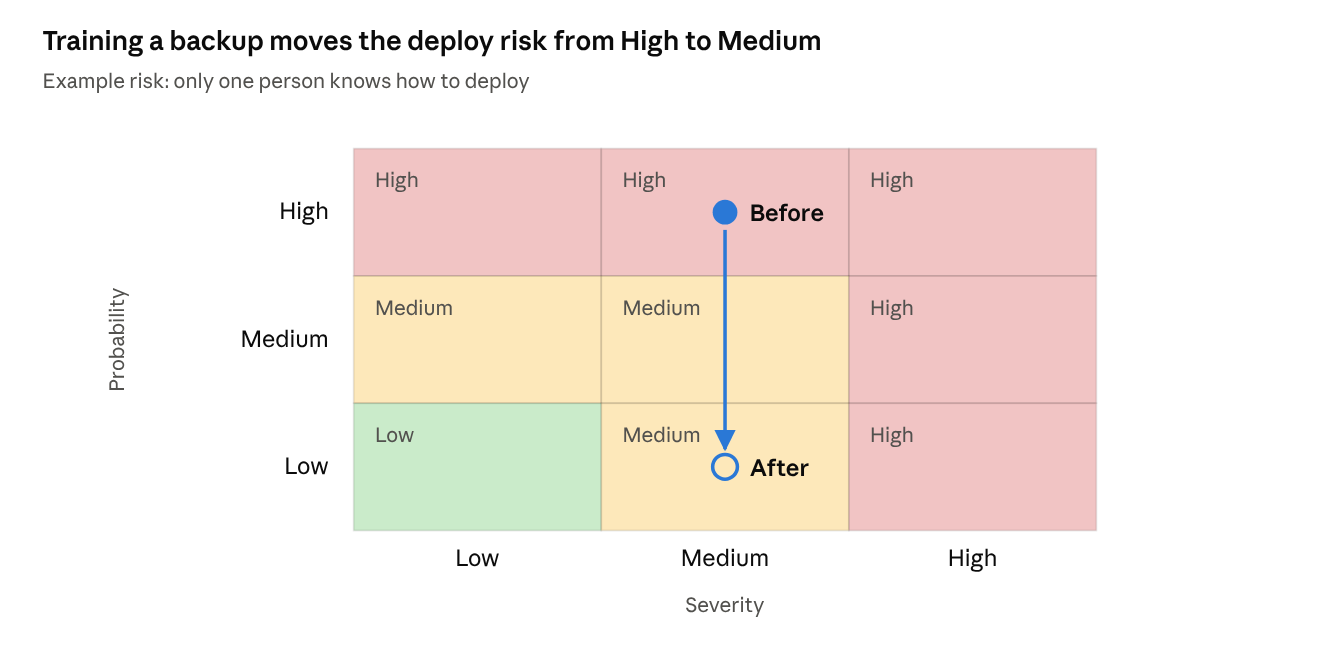
Keeping both ratings shows the value of your team's work, and it gives you a clear answer when someone asks: "what did we do about this?"
Start your risk register this week: a 6-step checklist
- Agree on one scale for probability and severity.
- Draw your risk matrix and color each cell Low, Medium or High.
- Spend 30 minutes with the team listing every risk you can think of in one shared risk register.
- Rate each risk and give every High risk a named owner.
- Pick a response for each one and link it to a real task.
- Book a recurring review, every sprint or every month.
Frequently asked questions
What are the steps of the risk management process?
Identify the risk, assess its probability and severity, plan a response, and review it regularly. Then repeat. Standards such as ISO 31000 split these into more steps, but the idea is the same.
What is the difference between a risk and an issue?
A risk might happen in the future. An issue is already happening. When a risk happens, it becomes an issue, and you switch from preventing it to fixing it.
Who should own a risk?
One named person, usually the one closest to the work it affects. The owner doesn't have to fix it alone. Their job is to watch it and make sure the planned response happens.
How often should we review our risks?
Match the rhythm of your work. Many teams review every sprint or every month, plus whenever something big changes, like a new supplier or a new deadline.
Do we need special software to manage risks?
Not to start. A shared list and a clear matrix are enough for a first version. As the list grows and more people rely on it, many teams look for a tool that keeps risks next to the work. Risk Manager for Jira does this inside Jira: it scores your work items by probability and severity and shows them on a color-coded risk matrix.
Next in the series: how teams in software, construction, healthcare and finance manage risk, and what they all have in common.