Your medical device team doesn't necessarily need another requirements management system.
If your development process already runs in Jira, the first step is to structure the Jira data so that the relationships required for traceability are clear.
The goal is simple:
Make the traceability already present in your Jira project explicit and usable.
Step 1: Define your Jira issue types
Start by mapping your software lifecycle artifacts to Jira issues.
A simple model could look like this:
| IEC 62304 Artifact |
Jira Issue Type |
| System Requirement | Epic / Custom Type |
| Software Requirement | Story / Custom Type |
| Software Item | Component / Custom Type |
| Risk Control | Story |
| Test Case | Test / Sub-task |
| Defect | Bug |
This mapping is just one example of how the source material structures artifacts in Jira.
The exact Jira configuration can differ between organizations.
What matters is consistency.
Step 2: Define meaningful link types
This is where many teams run into trouble.
A link such as:
relates to
doesn't tell an auditor much.
Instead, use relationships that explain why two artifacts are connected.
For example:
| Link Type |
From |
To |
Purpose |
| implements | Software Requirement | Software Item | Architecture traceability |
| verified by | Software Requirement | Test Case | Verification traceability |
| derived from | Software Requirement | System Requirement | Requirements decomposition |
| mitigates | Risk Control | Hazard/Risk | Risk traceability |
| tested by | Software Item | Test Case | Implementation verification |
The source specifically recommends explicit, directional link types rather than relying only on generic Jira relationships.
This makes a major difference. Compare:
Generic
IDA-1 relates to IDA-3
with:
Traceable
IDA-1 verified by IDA-3
The second relationship communicates intent.

Step 3: Define your traceability process
Configuration alone isn't enough.
Your team needs a process for maintaining the links. Document:
- Which links are required at each development phase
- Who is responsible for creating them
- When links are reviewed
- How missing links are identified
- How orphan requirements are resolved
The original plan recommends establishing a traceability checklist and review points. For example:
A software requirement cannot move to "Ready for Release" without an implementing software item and at least one verifying test.
That turns traceability into part of your development process.
Step 4: Use Jira to find gaps
JQL can help identify some missing relationships.
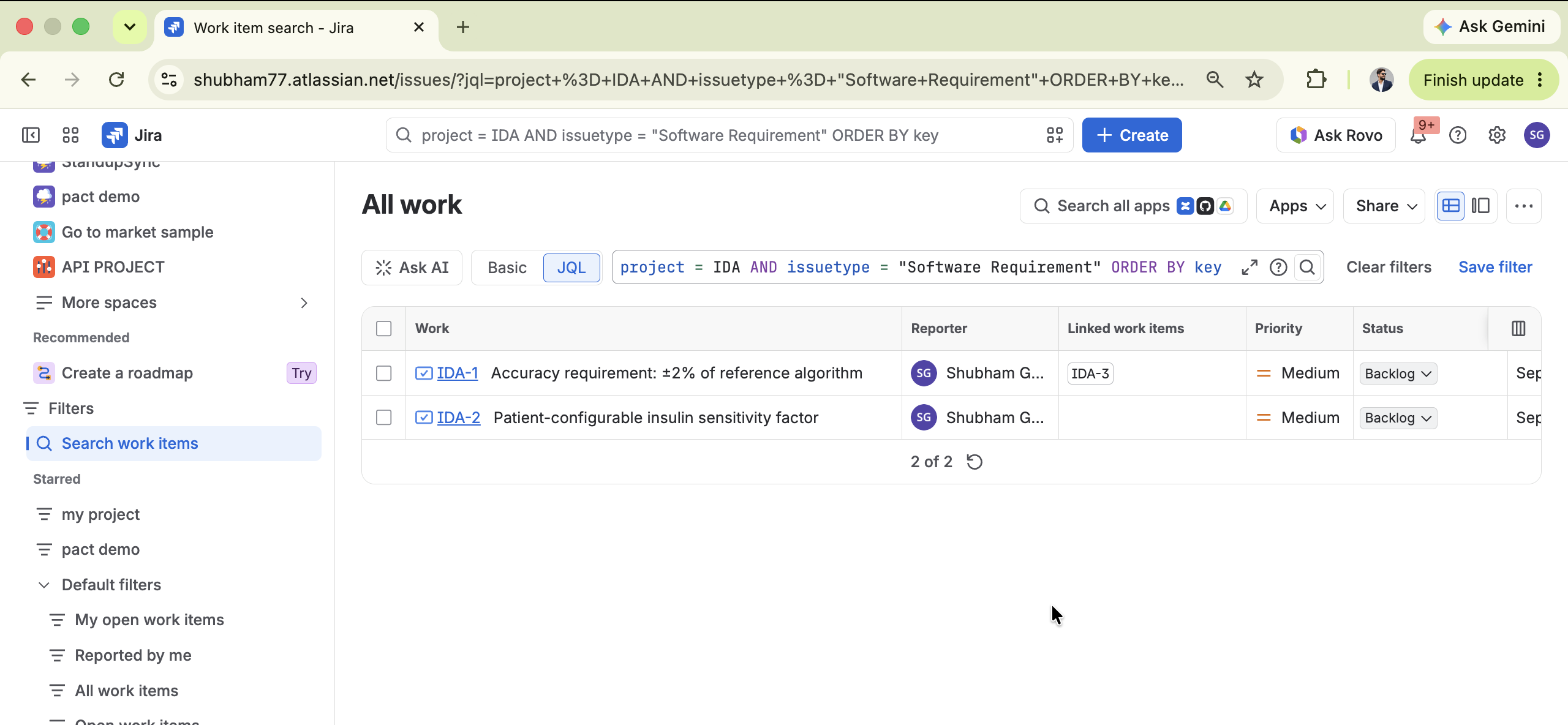
For example, a simple query lists every Software Requirement in the project, so you can scan for the ones missing a verified by link:
project = "IDA" AND issuetype = "Software Requirement" ORDER BY key
That's useful for a quick manual scan, but JQL has limits. Filtering directly down to only the unlinked requirements typically needs a Jira app (or a scripting add-on) to evaluate the link condition for you - plain JQL can list the candidates, but it can't ask "does this issue have a verified by link" on its own.
Either way, a list like this doesn't give you a complete, bidirectional traceability matrix across multiple levels.
That's where a dedicated traceability view becomes useful.
A practical Jira structure
You could end up with a relationship graph like:
SYS-001  System Requirement
                  |
                  |  derived from
                  v
              SRS-042  Software Requirement
                  |
                  |  implements
                  v
              SWIM-003  Software Item
                  |
                  |  tested by
                  v
              TC-087  Test Case
And separately:
              Risk Control
                  |
                  |  mitigates
                  v
              Software Requirement
Now Jira isn't just storing development tasks.
It is storing the relationships between your development artifacts.
What's next?
Once these relationships exist, the next question is:
How do you turn them into a usable Requirements Traceability Matrix?
That's what we'll cover next: how to build a Requirements Traceability Matrix in Jira.