Almost every risk register starts life as a spreadsheet. It's free, everyone knows how to use it, and you can set one up in ten minutes. For a small team with a handful of risks, that is often all you need.
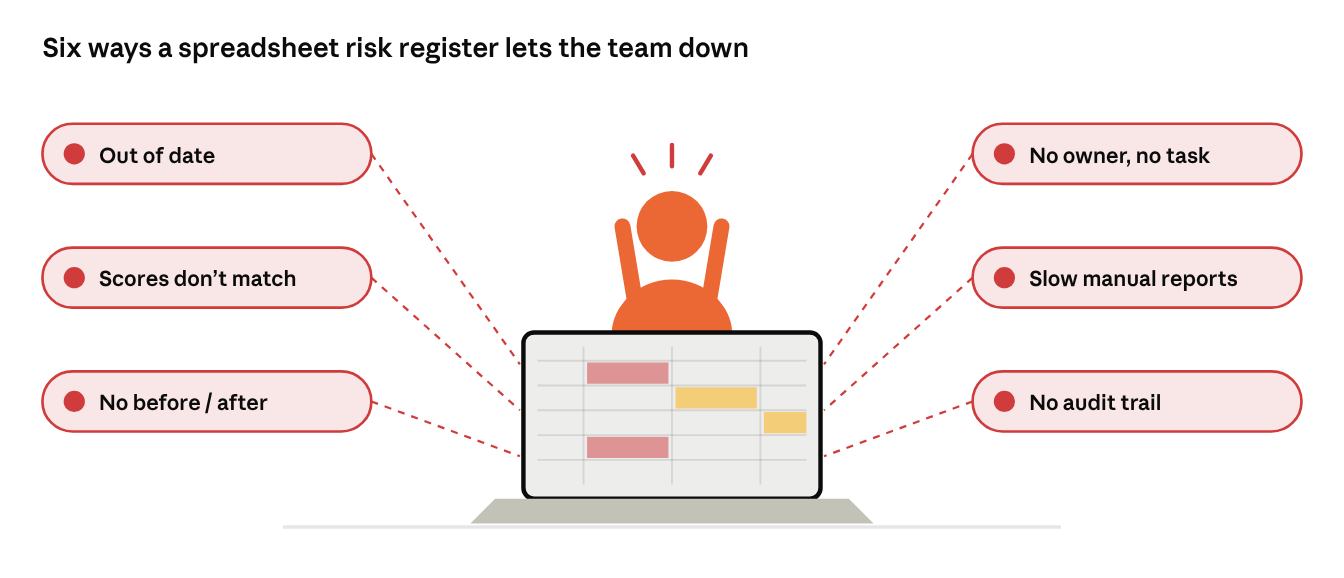
But spreadsheets were built for numbers, not for shared, living lists that many people update. As the team grows and the risk list gets longer, the cracks start to show. This article gives you a simple risk register template to start with, then walks through the six places spreadsheets usually break, and how to tell when your team has outgrown one.
This is the third article in our series. Earlier: What Is Risk Management, and How Do Teams Actually Do It? and How Different Industries Manage Risk.
A simple risk register template
Whatever tool you use, a good risk register needs the same columns. Here they are, with an example row for the risk from our first article.
| Column |
What to write |
Example |
| ID |
A short unique code |
R-014 |
| Risk |
One sentence: what might happen and what it would cause |
Payment provider changes its API before release, so customers can't pay |
| Owner |
One named person |
Tech lead |
| Probability (before) |
On your shared scale |
Medium |
| Severity (before) |
On your shared scale |
High |
| Risk level (before) |
Read from your risk matrix |
High |
| Response |
Avoid, reduce, transfer or accept, plus the action |
Reduce: subscribe to change notices, add an automated payment test |
| Linked task |
Where the action is tracked |
Task in the sprint board |
| Probability / severity / level (after) |
The same ratings once the response is in place |
Low / Medium / Medium (the test catches problems before customers see them) |
| Status |
Open, monitoring or closed |
Monitoring |
| Last reviewed |
Date of the last check |
The last sprint review |
Download the free risk register template (Excel) to start with these columns today. It has dropdowns for every rating, and the risk level fills itself from your own matrix. The rest of this article shows where a spreadsheet setup tends to struggle.
Where spreadsheets break down
For each problem: what you notice, why it happens, and what to look for in a fix, whatever tool you choose.
1. The register falls behind the real work
- What you notice: the spreadsheet still lists risks from kick-off, while new ones only come up in stand-ups and chat.
- Why it happens: the register lives in a separate file. Updating it is an extra job that nobody's day reminds them to do.
- What to look for: risks kept in the same place the team already plans and tracks its work.
2. Scores mean different things to different people
- What you notice: one person types "High", another "H", a third "4". Sorting by risk level gives nonsense.
- Why it happens: cells accept anything, and the risk matrix is a picture someone pasted on another tab, not a rule.
- What to look for: fixed rating choices and a risk level that is calculated from one shared matrix.
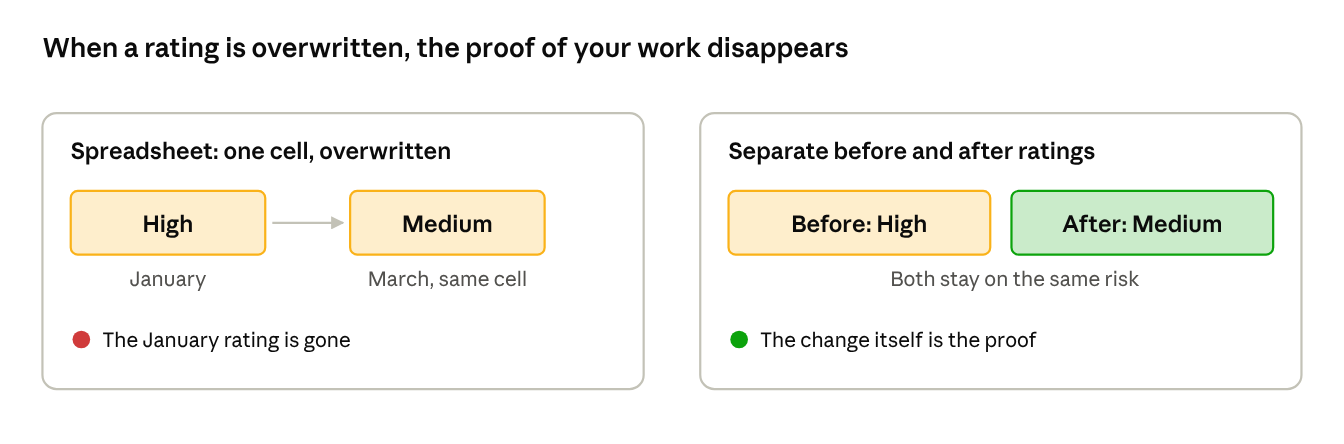
3. Nobody can see what mitigation changed
- What you notice: a risk now says "Medium", but no one remembers it was "High" before the team acted.
- Why it happens: each update overwrites the last one, so the before-and-after story is lost.
- What to look for: separate before and after ratings, kept side by side for every risk.
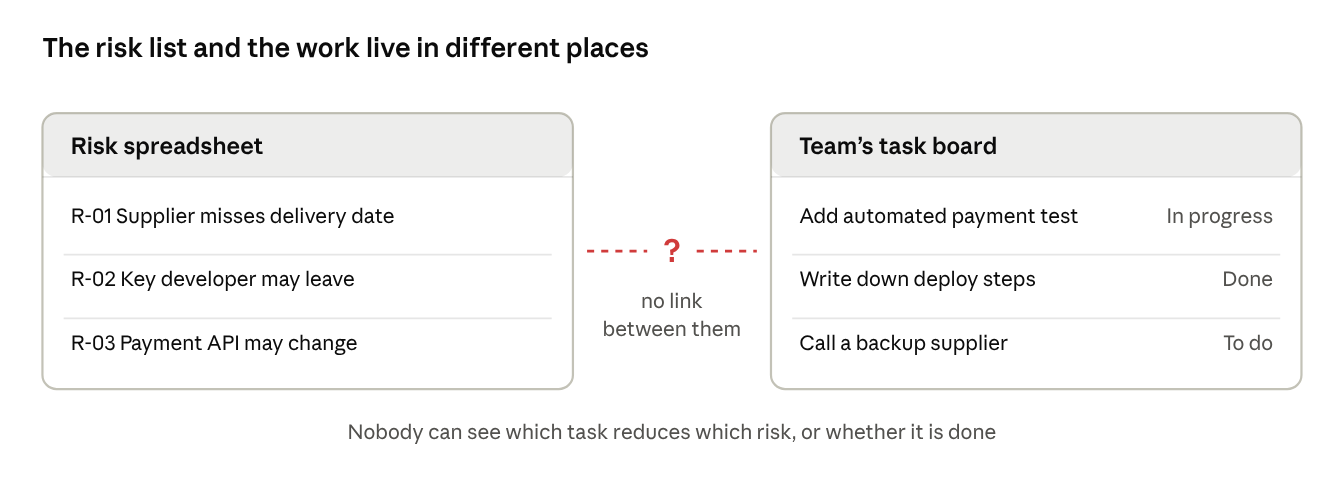
4. Risks float free of owners and tasks
- What you notice: the owner column is blank or says "team", and the planned action exists only as a note in a cell.
- Why it happens: a spreadsheet can't assign work or notify anyone, so a risk response never becomes a real task.
- What to look for: a named owner on each risk, with its response linked to tasks the team actually tracks.
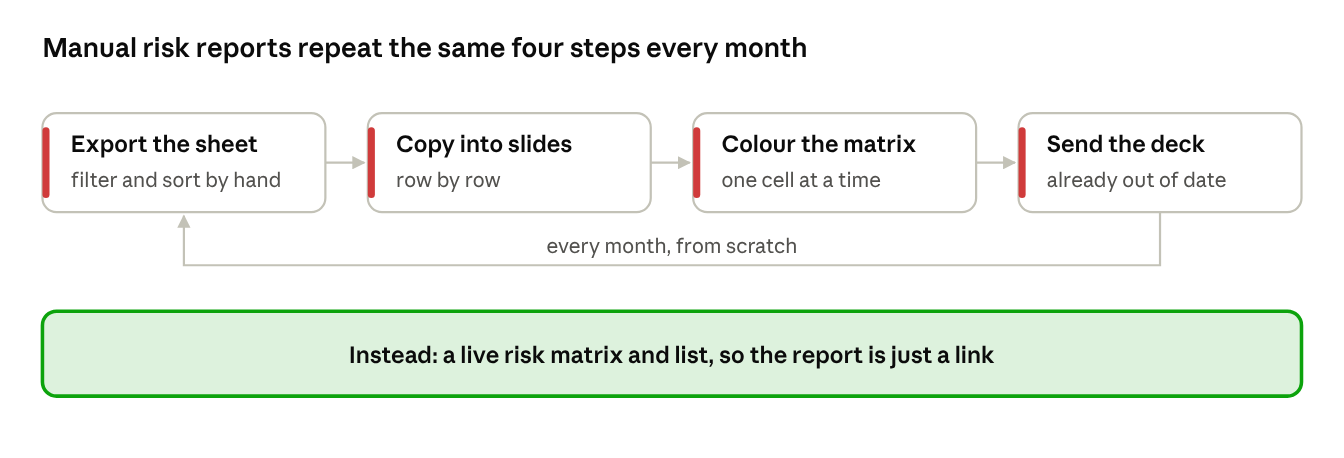
5. Reporting eats the time
- What you notice: before every steering meeting, someone spends hours copying risks into slides and coloring a matrix by hand.
- Why it happens: the spreadsheet holds the data, but not a live view anyone can open.
- What to look for: a risk matrix and list that update themselves, so the report is just a link.
6. There is no audit trail
- What you notice: an auditor or manager asks who changed a rating and when, and nobody can say.
- Why it happens: spreadsheets keep versions of the file, not a history of each risk.
- What to look for: a change history for every risk: who changed what, and when.
Self-check: has your risk process outgrown spreadsheets?
Tick each statement that sounds like your team:
- More than one team or project shares the same register.
- The register was last updated more than a month ago.
- People rate risks in different formats, or the risk level is filled in by hand.
- You can't say how a risk was rated before the team acted on it.
- Some risks have no owner, or their actions aren't tracked as real tasks.
- Building the monthly risk report takes more than an hour.
- Someone has asked who changed a rating, and nobody knew.
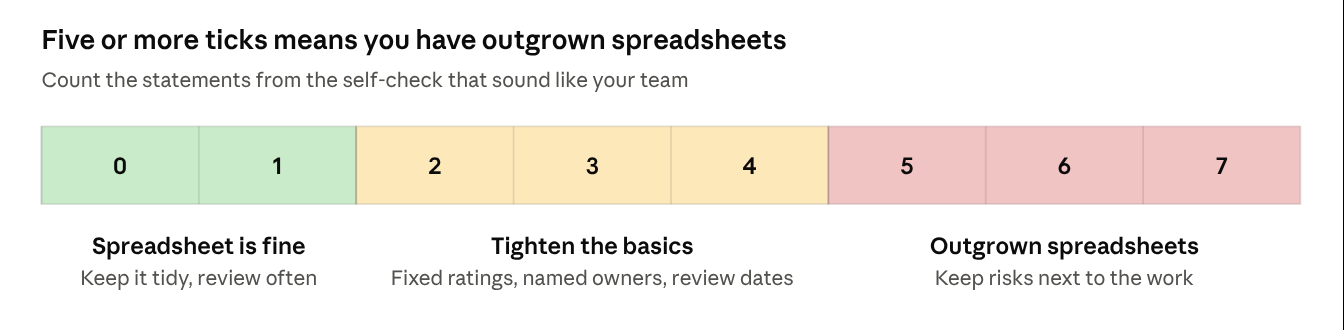
- Zero or one ticked: a spreadsheet is probably still fine. Keep it tidy and review it often.
- Two to four ticked: tighten the basics first: fixed rating choices, named owners, a review date on every risk.
- Five or more ticked: your risk process has outgrown spreadsheets. It's time to look for a setup that keeps risks next to the work.
Frequently asked questions
Is there a free risk register template?
Yes: the columns in the table above. Copy them into a spreadsheet or a shared page and you have a working register. The columns matter more than the tool. You can also download our Excel version.
Can we keep our risk register in a wiki page instead of a spreadsheet?
A shared page is easier to find and keeps a version history of the page. But it has the same gaps: no fixed rating choices, no history per risk, and no link between a risk and the tasks that address it.
When should we move off spreadsheets?
When the self-check above gives you five or more ticks, or when an audit or a missed risk shows the register can't be trusted.
What should a dedicated risk tool do?
Keep risks next to the work, use one shared matrix, store before and after ratings, link each response to real tasks, update reports by itself, and record every change.
Next in the series: Introducing Risk Manager for Jira, and how it handles each of the six problems above.